7 ChatGPT Security Risks to Monitor in 2026
Refreshed and updated October 20, 2026. Key Takeaways: Recent incidents, ...

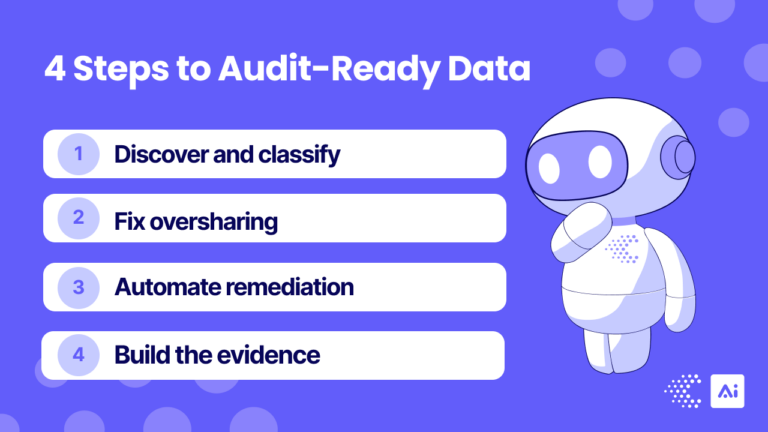

Security teams get handed some version of this before every audit: find the regulated data across M365, Slack, Salesforce, Box, and the file shares, fix whatever’s overshared, and have a report ready before the auditors show up. It’s a reasonable ask, and it’s also four separate projects sharing one looming deadline.
The tools make it harder. Purview, Box Shield, and Salesforce each classify in their own vocabulary, while the Windows, NetApp, and Dell EMC shares barely classify at all, so every export comes back in a different dialect and someone must translate.
Each platform has a handful of spots where sensitive data piles up, and those spots should set the order of your search.
| System | Where PII/PHI collects | Why it’s hard to find |
| Microsoft 365 | OneDrive and SharePoint files shared through “Anyone” links, Teams chat attachments, and Exchange mailboxes | Sheer volume, plus sharing links that outlive the projects they were made for |
| Slack | Files uploaded to channels, DMs, and Slack Connect channels shared with outside organizations | Sensitive details show up mid-conversation, in context that pattern matching misses |
| Salesforce | Free-text fields, case notes, email-to-case attachments, and files | People put regulated data in fields that were designed for something else |
| Box | Folders shared through open links, external collaborators, and old project folders | Collaboration settings pile up faster than anyone can review them |
| On-prem file shares (Windows Server/SMB, NetApp, Dell EMC) | Legacy departmental shares, HR and finance archives, and folders owned by people who left | Broken permission inheritance and data older than the current compliance program |
Sharing links hang around long after anyone remembers why they exist, and people paste sensitive details into chat and free-text fields because it’s faster than finding the right system. On-prem shares usually hold the oldest data in the company and get the least review, yet they tend to land at the bottom of the prep list.
Purview detects sensitive data with Sensitive Information Types, Exact Data Match, and trainable classifiers. Box Shield applies its own labels, and Slack’s DLP runs on regex and preconfigured rules but only on Enterprise Grid. Salesforce’s field-level sensitivity tags describe what a field is supposed to hold, which says little about what someone typed into it.
Put those results next to each other, and they rarely agree. Each tool defines “sensitive” in its own way, and most of them lean on patterns.
Pattern matching handles Social Security numbers and card numbers well enough. It struggles with a Slack thread where a nurse mentions a patient’s name and diagnosis in one message, or a Box contract amendment that happens to list employee salaries. Both hold regulated data, and neither one matches a regex.
An auditor asking about PHI wants one answer, so classification needs one standard, applied to Salesforce the same way it’s applied to a NetApp filer. Semantic classification gets you there by reading documents for meaning and grouping them with similar documents. A patient intake form gets recognized as a patient intake form wherever it lives.
If discovery requires writing rules or curating training sets for every platform, a 60-day runway will disappear into setup. On the other hand, agentless discovery that classifies without rules gets you a working inventory while there’s still time to act on it.
Discovery will give you a longer fix list than your team can finish by audit day, so start with whatever outsiders can reach. That means open links in OneDrive, SharePoint, and Box, external collaborators on Box folders, and Slack Connect channels where someone posted a file with regulated data in it.
Broad internal access comes next, like org-wide links and legacy file share folders open to “Everyone.” Misplaced data comes third. A folder of medical leave forms sitting in the marketing team’s SharePoint site is a finding even if only marketing can open it.
Outliers are easier to spot when you compare documents to their peers. Concentric AI’s Risk Distance™ measures each file against others in the same category. If most signed customer contracts are shared with legal and sales ops, the three shared with the whole company stand out right away, and nobody has to write a policy to catch them.
Every one of these platforms also ships with a built-in AI assistant now. Copilot, Slack AI, Salesforce Agentforce, and Box AI all answer questions using whatever the person asking has permission to see. An overshared HR folder that someone once had to stumble across can now land in a chat response for anyone with access who asks the right question. Permission cleanup before an audit doubles as AI readiness work, which also can make it easier to fund.
A lot of permission and labeling work can run on its own, as long as you pick the right changes to automate.
Removing open links from files classified as PHI, pulling external collaborators off folders with regulated data, and revoking access for accounts that belonged to people who left two reorgs ago are all high-confidence changes. Nobody needs a meeting to approve them.
Accurate MIP labels let Purview DLP and the rest of your stack enforce policy on the right files, while wrong labels send every tool relying on them after the wrong files with total confidence. We covered how that plays out in Microsoft Purview and Concentric AI: Using Them Together in 2026.
Keep a person in the loop whenever business context decides the answer. A finance folder shared with an outside accounting firm might be exactly right during audit season. Automate the flag, then let the data owner make the call.
For sensitive data, most auditors ask for an inventory of where regulated data lives, the method you used to classify it, access conditions before and after remediation, a timestamped record of changes, and proof that monitoring continues after the audit wraps.
Teams that wait until the final week end up rebuilding all of that from exports, tickets, and memory. Capture it as each step happens instead. When discovery, classification, and remediation run on one platform, the trail builds itself, and you export the evidence rather than writing it from scratch.
The auditor will also ask what keeps your environment from drifting back to where it started, since an audit only captures one moment. Continuous classification of new and changed data is the simplest answer you can give.
90 days out. Run discovery across all five systems, close external exposure, and start labeling. You have enough time to clean up broad internal access as well.
60 days out. Put discovery and external exposure first, then label the highest-risk categories. Document broad internal cleanup as a scheduled workstream, since auditors respond well to a plan with dates attached.
30 days out. Finish the inventory and close anything reachable from outside. Everything else goes into a remediation plan with owners and deadlines. A known, scheduled issue reads very differently in an audit report than one the auditor found on their own.
Concentric AI connects to Microsoft 365, Slack, Salesforce, Box, and on-prem file shares on Windows Server, NetApp, and Dell EMC through agentless integrations, then classifies everything it finds with one semantic model. You skip the rules, regex, and training sets entirely.
Risk Distance flags overshared, misplaced, and misclassified files. Remediation handles permission changes and MIP labeling, so Purview and the rest of your stack enforce policy on accurate classification. Findings and remediation history export as audit evidence. For teams short on people as well as time, Concentric’s Managed DSPM puts our experts on the work alongside the platform.
Powered by the Semantic Intelligence™ Engine’s patented language models, the platform discovers, governs, and protects business-critical and compliance-sensitive data at rest, in motion, and used by AI through a consistent policy framework. In addition, Concentric AI was also named a 2026 Gartner® Peer Insights™ Customers’ Choice for DSPM.
See how it works with your own data. Get a demo.
